How Ezber works
Your Kindle keeps every word you look up in a small file called vocab.db. Ezber reads it, adds a definition and the sentence you read each word in, and gets the words onto your phone and into Anki.
1Plug in your Kindle
Connect it with a USB cable
Your Kindle shows up as a drive named Kindle. The vocabulary file lives at
system/vocabulary/vocab.db.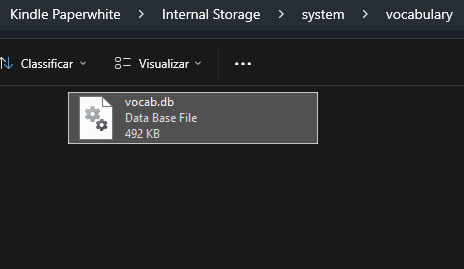
Works with Kindles that appear as a USB drive (most models before 2021). Newer models that connect over MTP aren't supported yet. The Kindle phone app doesn't keep a vocabulary file.
2Sync your words
Pick whichever is easiest
Re-syncing is always safe: new words are added, your edits are kept.
- Automatically on your Mac. Install the Ezber helper once and connect your account in the browser. After that, plugging in your Kindle syncs it and shows a notification.
- From the Ezber app. Tap import and pick
vocab.dbfrom your phone's files. - On this website. Upload the file and choose Save to my account, or skip the account and build an Anki deck right in your browser.
3Learn and send to Anki
Study in the app, keep it in Anki
Browse your words by book, read each one like a dictionary entry with your own sentences, and run quick flashcard sessions. When you want spaced repetition, send a book, a selection or everything to Anki as an
.apkg deck.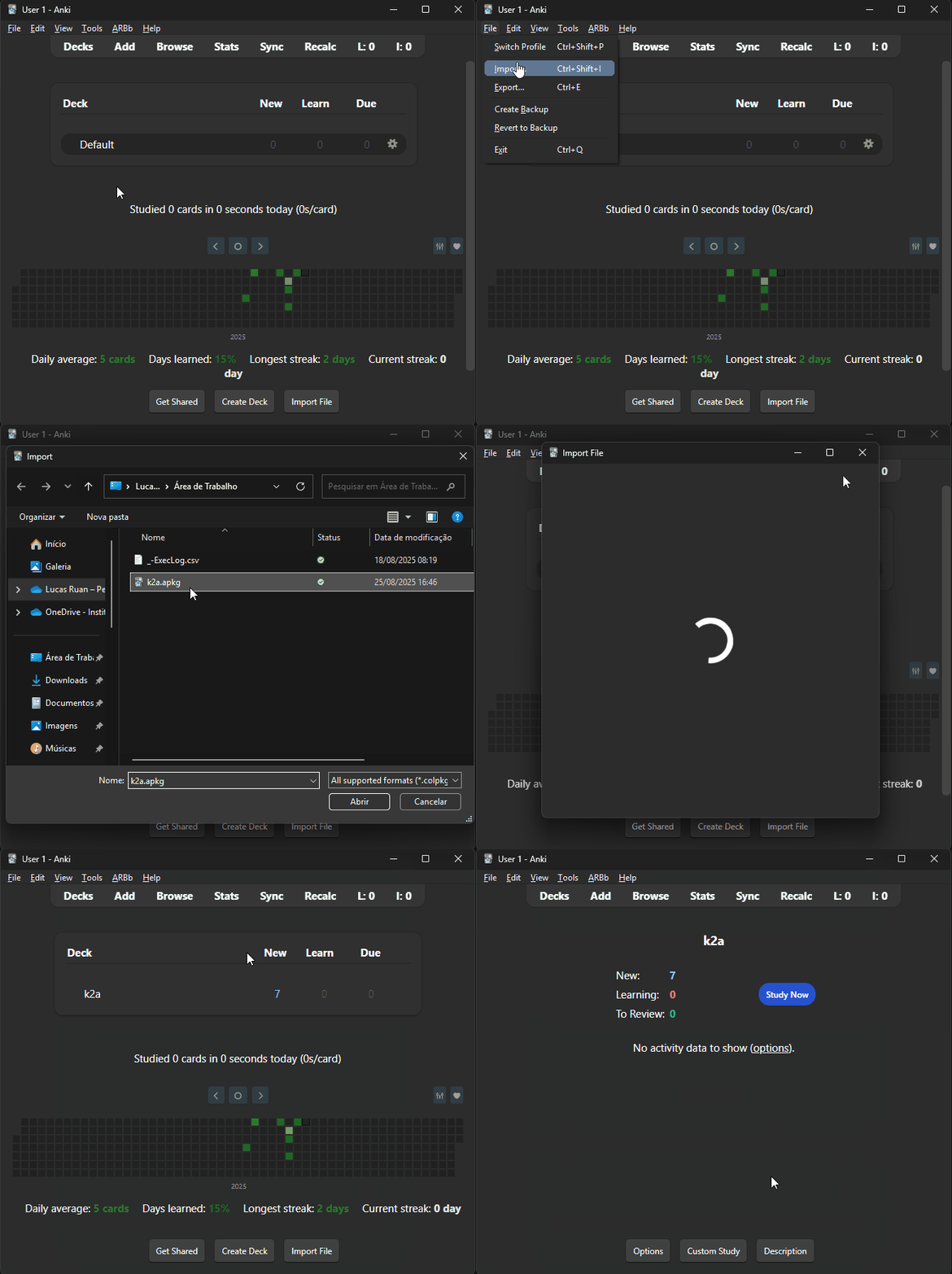
On a phone, the deck opens in AnkiDroid or AnkiMobile. On a computer, double-click it or use File → Import in Anki.